

I have worked in Informatica Data Quality and I am new to Ataccama , can anyone explain me with steps
In IDQ we create Rule→ Profiling → Mapping → Workflow → Scorecard Validation → Drill down the records

Solved
How we can customize Data Quality DQ Rules
- Data Enthusiast
Best answer by astakher
Hi
In Ataccama you can Create/Edit a DQ Evaluation Rule (usually in the Rule Builder; switch to Advanced Expression if needed)
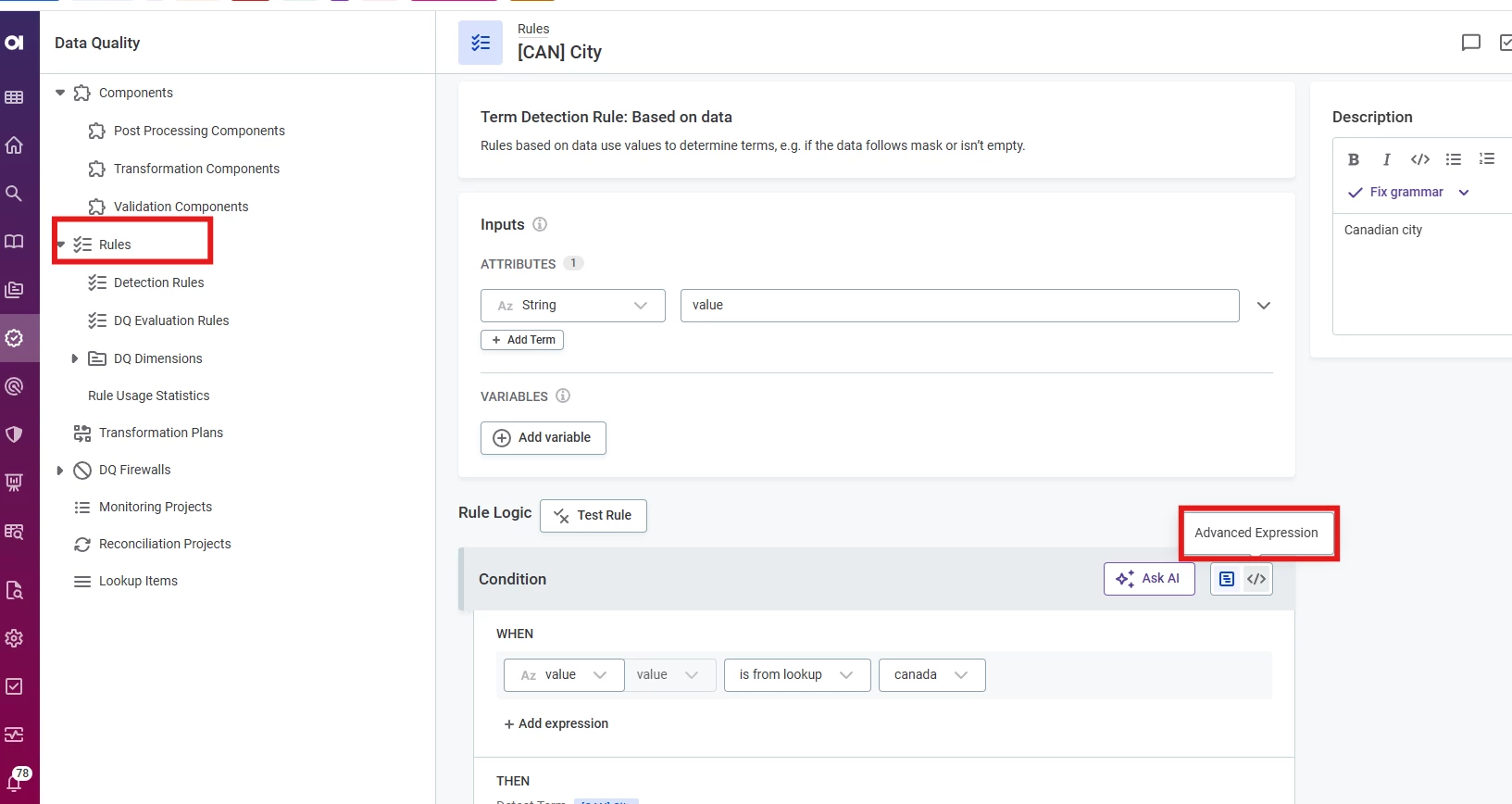
Apply the rule to the relevant Catalog Item attribute, then run profiling to evaluate it and review the results.
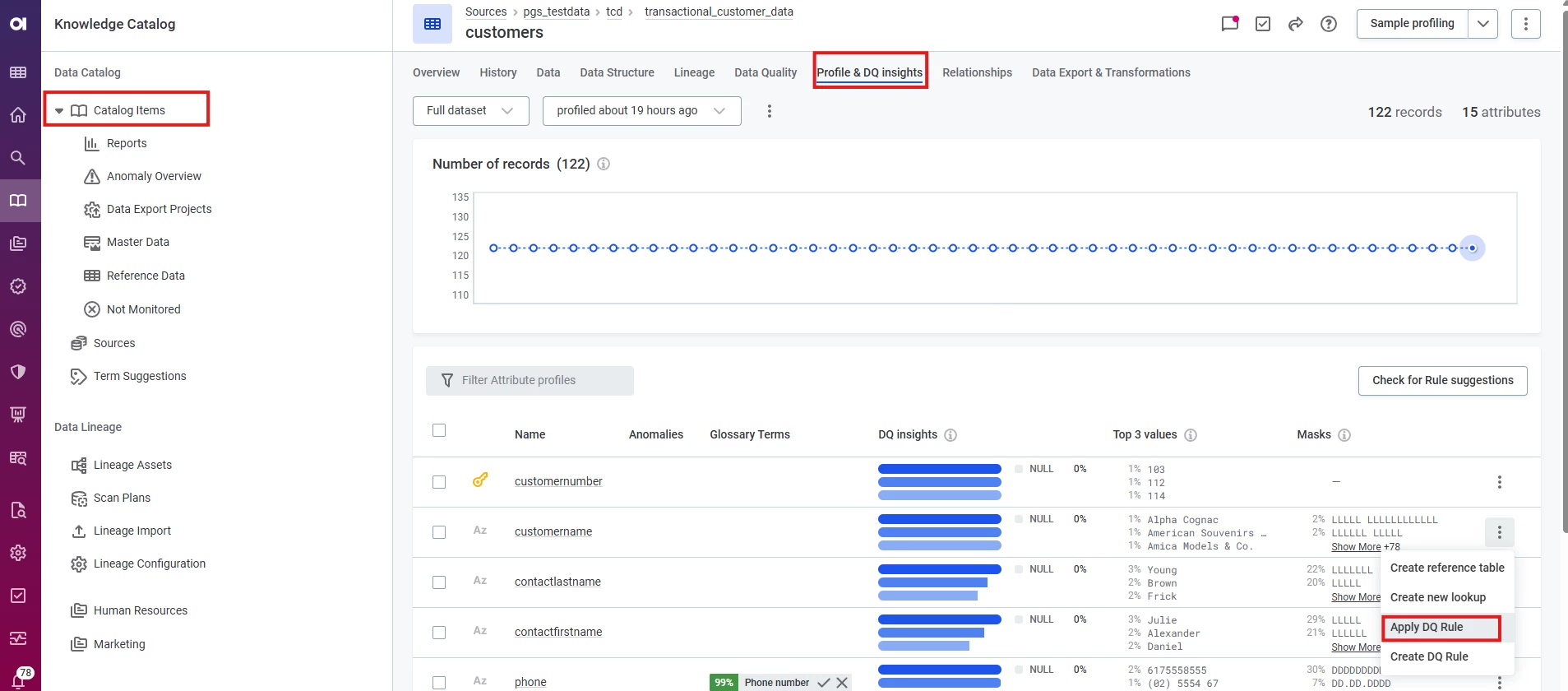
You can find more information in the documentation here: https://docs.ataccama.com/one/latest/data-quality/create-dq-rule.html
Cheers,
Aman Takher


Login to the Ataccama Community
No account yet? Create an account
For Ataccama Customers and Partners
or
Enter your E-mail address. We'll send you an e-mail with instructions to reset your password.