Solved

Is self joining possible in RDM tables ?

  • May 26, 2025
  • 2 replies
  • 108 views

Forum|alt.badge.img+4

Hello,

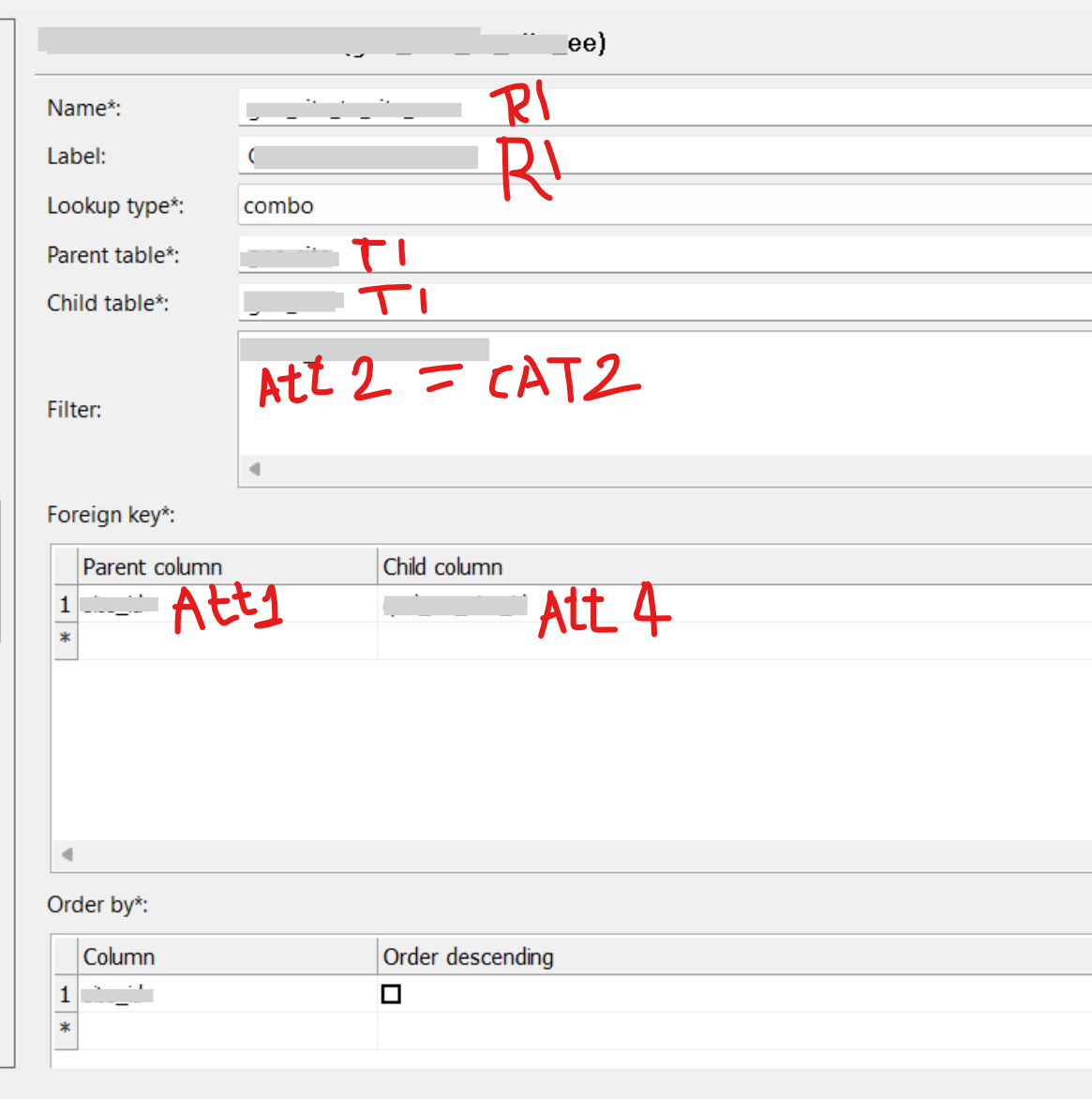
Is it possible to self-join tables in RDM to populate some information? I would like to try something like shown in the screenshot. Attribute 4 and 5 values are selected from RDM UI. So, dropdown should only show values from the same table where att2 = CAT2 for Att4 and att2 = CAT3Β for Att4

Table1 Β  Β  Β  Β  Β 
Β  Β  Β  Selection from RDM UI Β 
Att1 Att2Β  Att3 Att4 (where att2 = CAT2) Att5 (where att2 = CAT3) Β 
ID1 CAT1 val1 ID3 ID5 Β 
ID2 CAT1 val2 ID4 ID6 Β 
ID3 CAT2 val3 Β  Β  Β 
ID4 CAT2 val4 Β  Β  Β 
ID5 CAT3 val5 Β  Β  Β 
ID6 CAT3 val6 Β  Β  Β 
Β  Β  Β  Β  Β  Β 

Β 

I somehow tried to create self join in relationship like below. I was able toi upload configuration successfully on RDM with these relationships.Β 

Β 

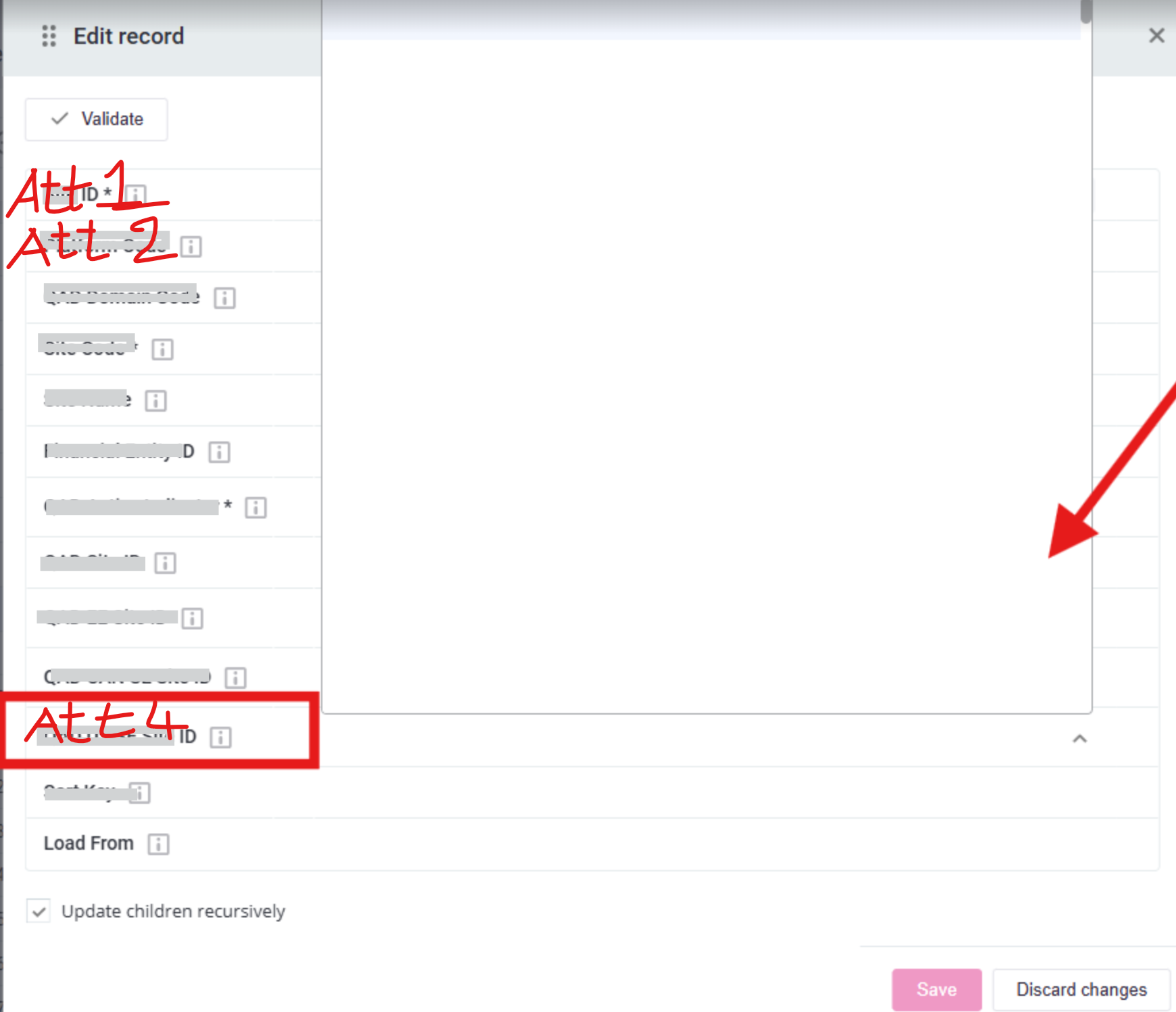
However, when edit the record on RDM the lookup is blank. it does not show any value although table is populated.
Β 

Β  (this can also be understood as employee infoΒ vsΒ manager info relationship. Both info are available in the employeeΒ table)

Thanks in advance.

Ojaswini

Best answer by may_kwok

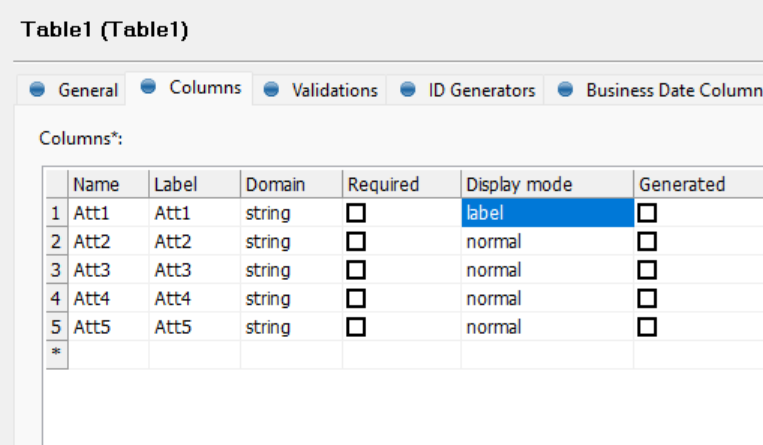
You likely need to set the display mode for Att1 to β€œlabel”.

Β 

Setting the display mode to β€œlabel” allows that attribute to be chosen by a child column in the combo box.

Your drop down box looks empty, but it’s actually got all the rows in your table β€œunderneath” it. There likely was no columns set as β€œlabel”, and therefore the combo box doesn’t know which column to put as display.

Have a go and see if that works?

Link to the official documentation is here.

Β 

Β 

2 replies

may_kwok
Rocket Pioneer L1
Forum|alt.badge.img+4
  • Rocket Pioneer L1
  • Answer
  • May 28, 2025

You likely need to set the display mode for Att1 to β€œlabel”.

Β 

Setting the display mode to β€œlabel” allows that attribute to be chosen by a child column in the combo box.

Your drop down box looks empty, but it’s actually got all the rows in your table β€œunderneath” it. There likely was no columns set as β€œlabel”, and therefore the combo box doesn’t know which column to put as display.

Have a go and see if that works?

Link to the official documentation is here.

Β 

Β 


Forum|alt.badge.img+4
  • Author
  • Star Blazer L1
  • June 3, 2025

Thank you very much. Yes, ID was set as Normal. Thank you. Oops. I didn't even notice that.Β 

Best regards,

Ojaswini