Solved

Pivoting all rows into columns in target.

  • July 28, 2023
  • 4 replies
  • 251 views

Forum|alt.badge.img+1

My input file is in the below structure and looking to pivot all rows into columns.

Ā 

No name
1 value1
2 value2
3 value3
4 value4
5 value5

Ā 

Ā 

Ā 

Expecting output should be likeĀ 

Ā 

Col1 Col2 Col3 Col4 Col5
value1 value2 value3 value4 value5

Ā 

Ā 

What will be the best approach in Ataccama One desktop?

Ā 

Looking for support and help..
Best answer by AKislyakov

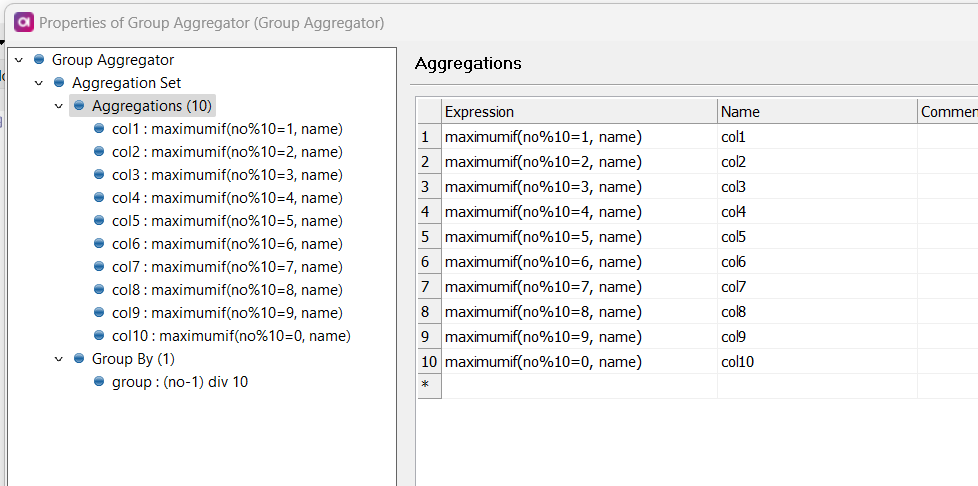
In that case you can group by (no-1) div 10 -- group every 10 recordsĀ 

And change column expression to something likeĀ maximumif(no%10=1, name)
so records ending on 1 will go to the first column, ending on 2 -- to second and so on.

In here IĀ assumeĀ that numbering starts with 1.

Ā 

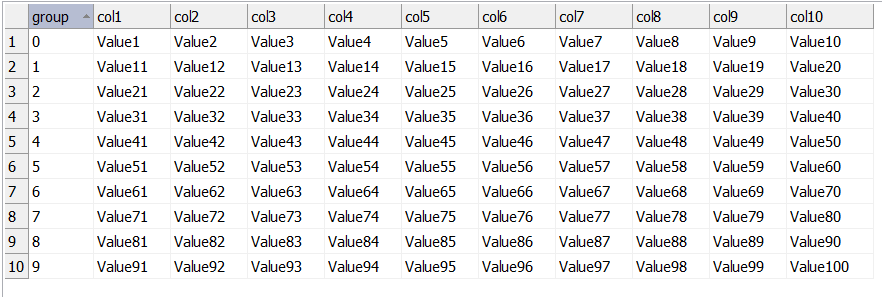
The result will be something like that:
Ā 

Ā 

4 replies

Forum|alt.badge.img+2
  • Ataccamer
  • July 31, 2023

Hi @mahesh Ar,

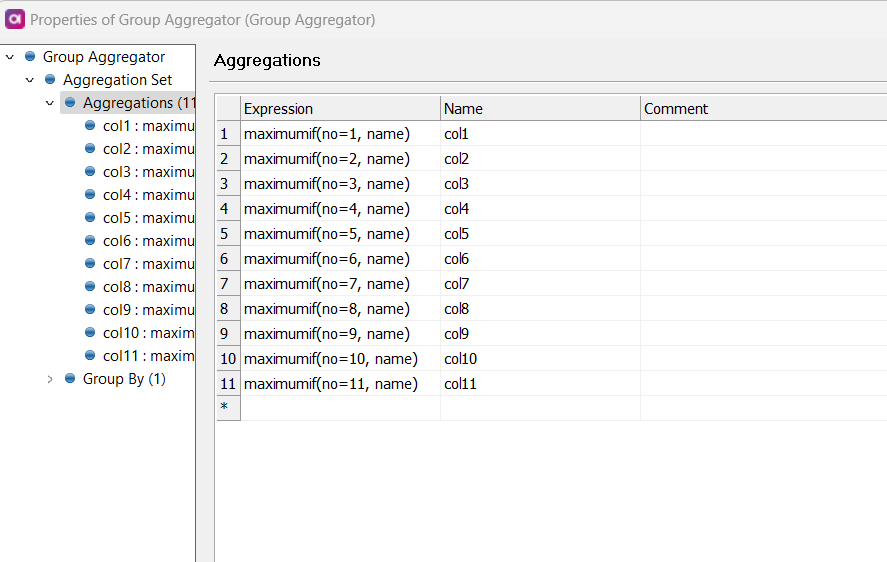
Ataccama Desktop does not allow for a dynamic set of columns. Therefore, you need to decide beforehand what the maximum number of columns might be. If you are okay with this restriction, I suggest using the Group Aggregator step in conjunction with the maximumif function. The result could look like this:

In this example, I transpose up to 11 incoming rows, enumerated from 1 to 11.

In attachment a sample plan that uses Random Record Generator to generate 10 rows and the Group Aggregator step to transpose them up to 11 columns.Ā 


Lisa Kovalskaia
Ataccamer
Forum|alt.badge.img+3

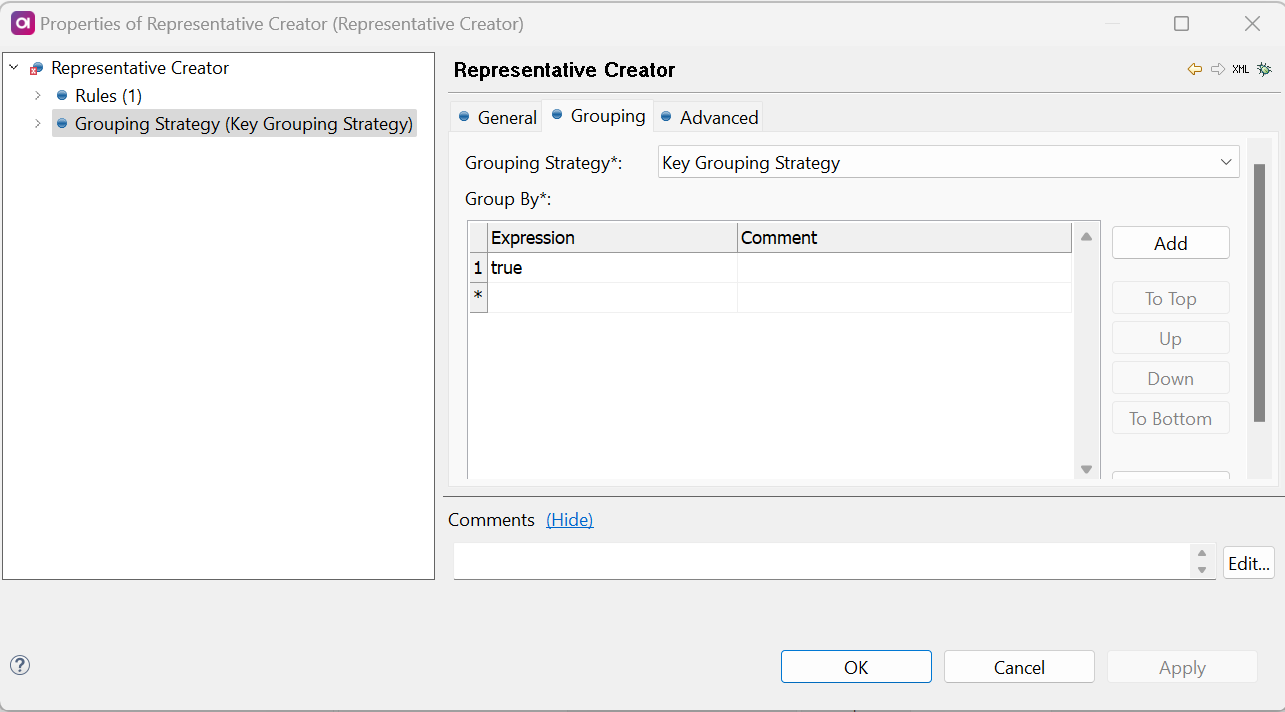
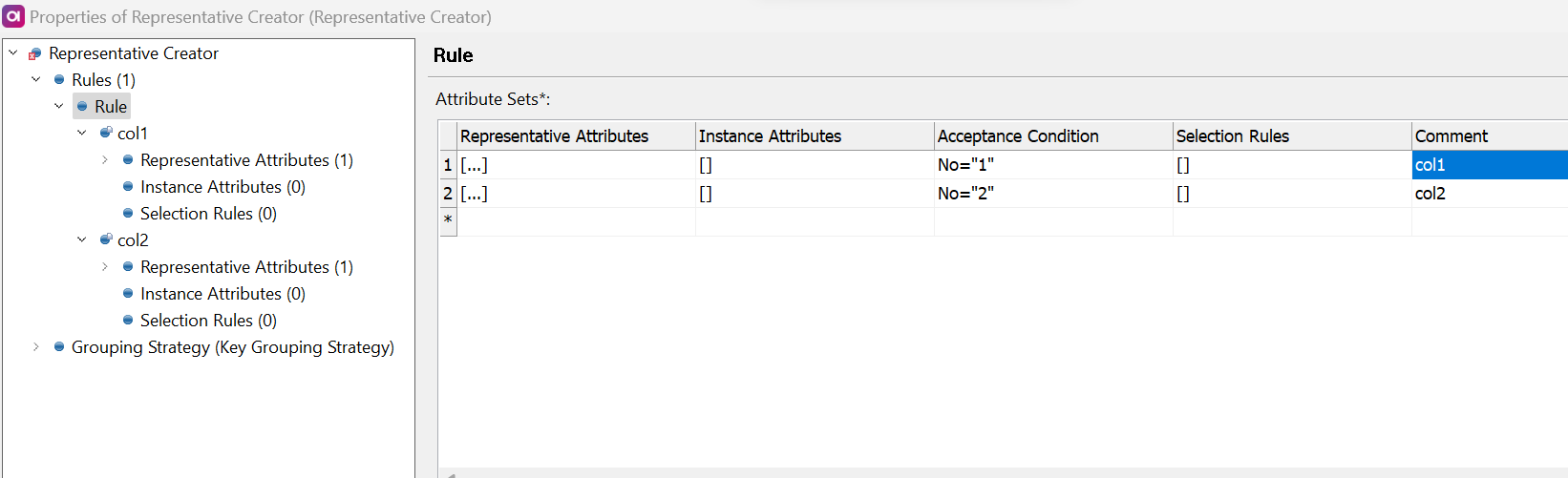
HiĀ @mahesh Ar, to add to the suggestion fromĀ @AKislyakovĀ - there's often more than one way to achieve a specific result in ONE Desktop. Another solution to your case could be to use the Representative Creator step, have a look at this example here:Ā 

Ā 

In your case you'd set the key to Group by as true:

Ā 

And the acceptance conditions would be set according to your identifier values:

Ā 


Forum|alt.badge.img+3
  • Data Pioneer L2
  • July 31, 2023

Hi @AKislyakovĀ , The above example will return only 1 record as we are doing MAX, If the source has many rows each needs to be transposed. For eg) Total rows: 100 , Transpose them to 10 Columns with 10 rows Each.Ā 

Basically the loop should continue for every 10th record, i dont think the above solution will work in that case


Forum|alt.badge.img+2
  • Ataccamer
  • Answer
  • August 2, 2023

In that case you can group by (no-1) div 10 -- group every 10 recordsĀ 

And change column expression to something likeĀ maximumif(no%10=1, name)
so records ending on 1 will go to the first column, ending on 2 -- to second and so on.

In here IĀ assumeĀ that numbering starts with 1.

Ā 

The result will be something like that:
Ā 

Ā