Solved

Hide Global Settings

  • June 18, 2026
  • 3 replies
  • 16 views

ViLas
Data Voyager
Forum|alt.badge.img+4

There seems to be no way to hide the global settings from users? I can only make them read only at best?

Best answer by astakher

Hi ​@ViLas , 

That is correct, Global Settings cannot be fully hidden. Read-only is the current maximum.
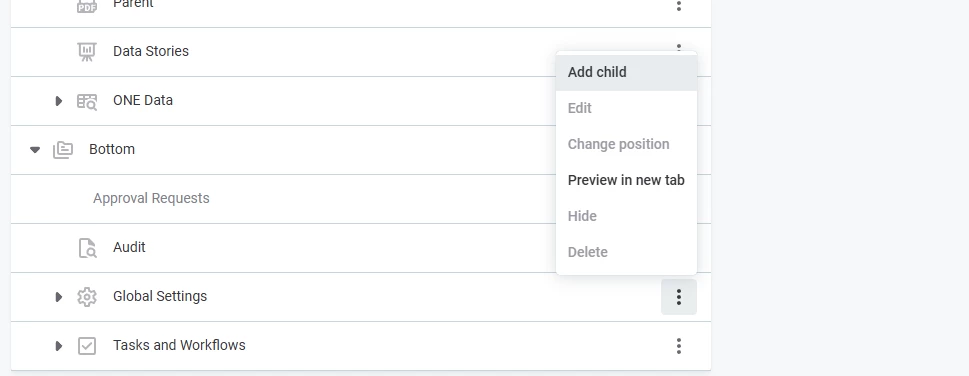


The permission model controls access to data assets and metadata, not application views, so there's no per role UI visibility control for Global Settings itself.


Cheers,

Aman Takher

3 replies

  • Community Manager
  • Answer
  • June 29, 2026

Hi ​@ViLas , 

That is correct, Global Settings cannot be fully hidden. Read-only is the current maximum.


The permission model controls access to data assets and metadata, not application views, so there's no per role UI visibility control for Global Settings itself.


Cheers,

Aman Takher


ViLas
Data Voyager
Forum|alt.badge.img+4
  • Author
  • Data Voyager
  • June 30, 2026


Thank you for the confirmation.


Forum|alt.badge.img+1
  • Universe Traveller
  • July 1, 2026

Hi ViLas,

We encountered the same problem. While there may not be an out of the box solution, we were (after a lot of back and forth with ataccama consulants) able to get a solution to this. However, the solution is to fully hide the global settings for all users. It would still be accessible for admin users, using a direct link. It also requires you to keep the documentation of the deletion process, as you need this if you would ever want to unhide it. 

It involves using the graphql api to achieve this.

Let me know if you are interested, and I can share it.

Cheers,

Chris