Solved

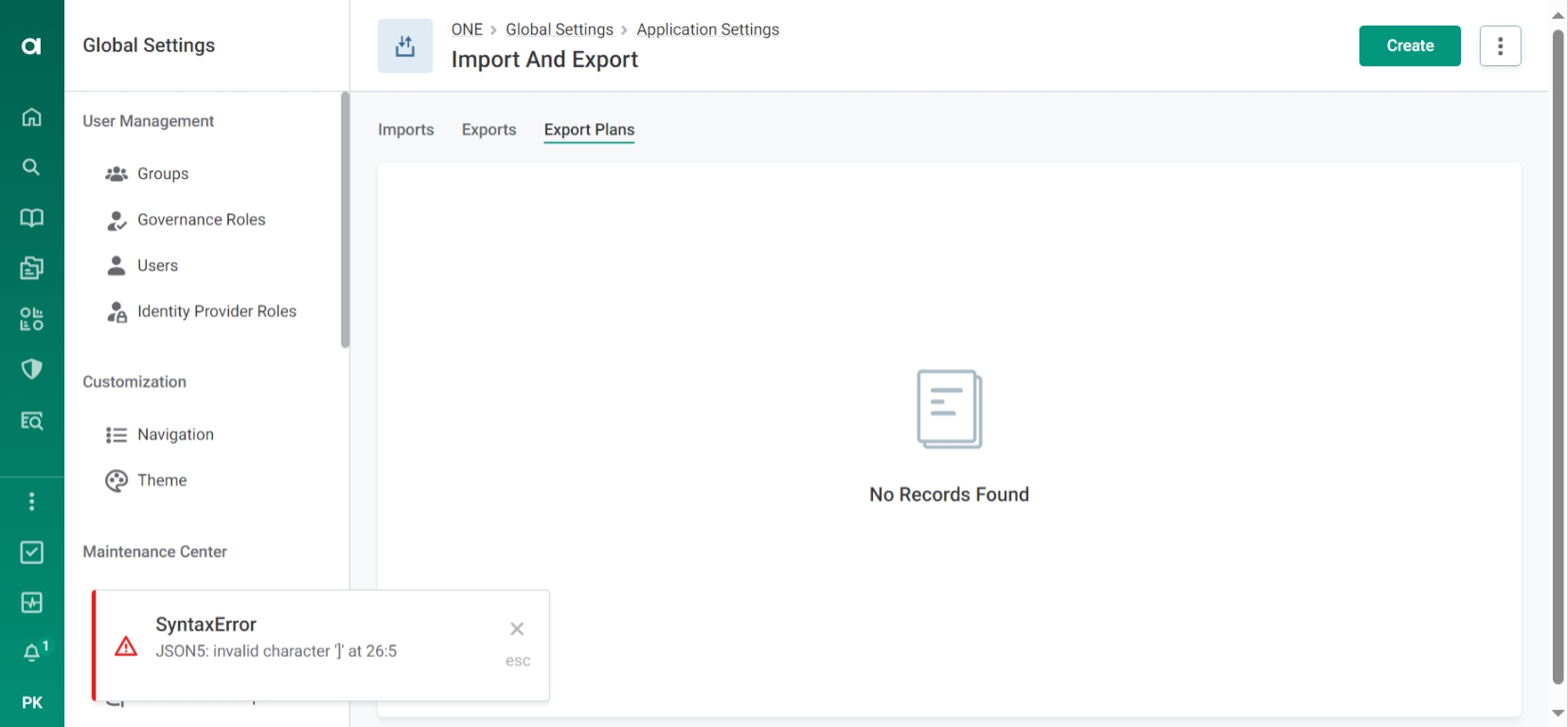
Export plan Shows No Records

  • June 10, 2024
  • 4 replies
  • 135 views

Hello, I’m trying to figure out why the export plan section in Ataccama ONE desktop keeps showing ā€œNo Records Foundā€ although I have created a list of export plans. Once I create an export plan, I save and publish it, but it does not show up as part of the export plan section instead it says, ā€œJSON errorā€. Does anyone have any idea on how to fix this issue ?

Thank you,

Prithika

Ā 

Ā 

Best answer by srija piratla

HiĀ @PrithikaĀ ,

Ā 

To export a Catalog item we need to write the Json call as below :

{
Ā  "versionSelector": {
Ā  Ā  "publishedVersion": true
Ā  },
Ā  "exportId": true,
Ā  "dataSelectors": [
Ā  Ā  {
Ā  Ā  Ā  "node": "catalogItem"
Ā  Ā  }
Ā  ]
}

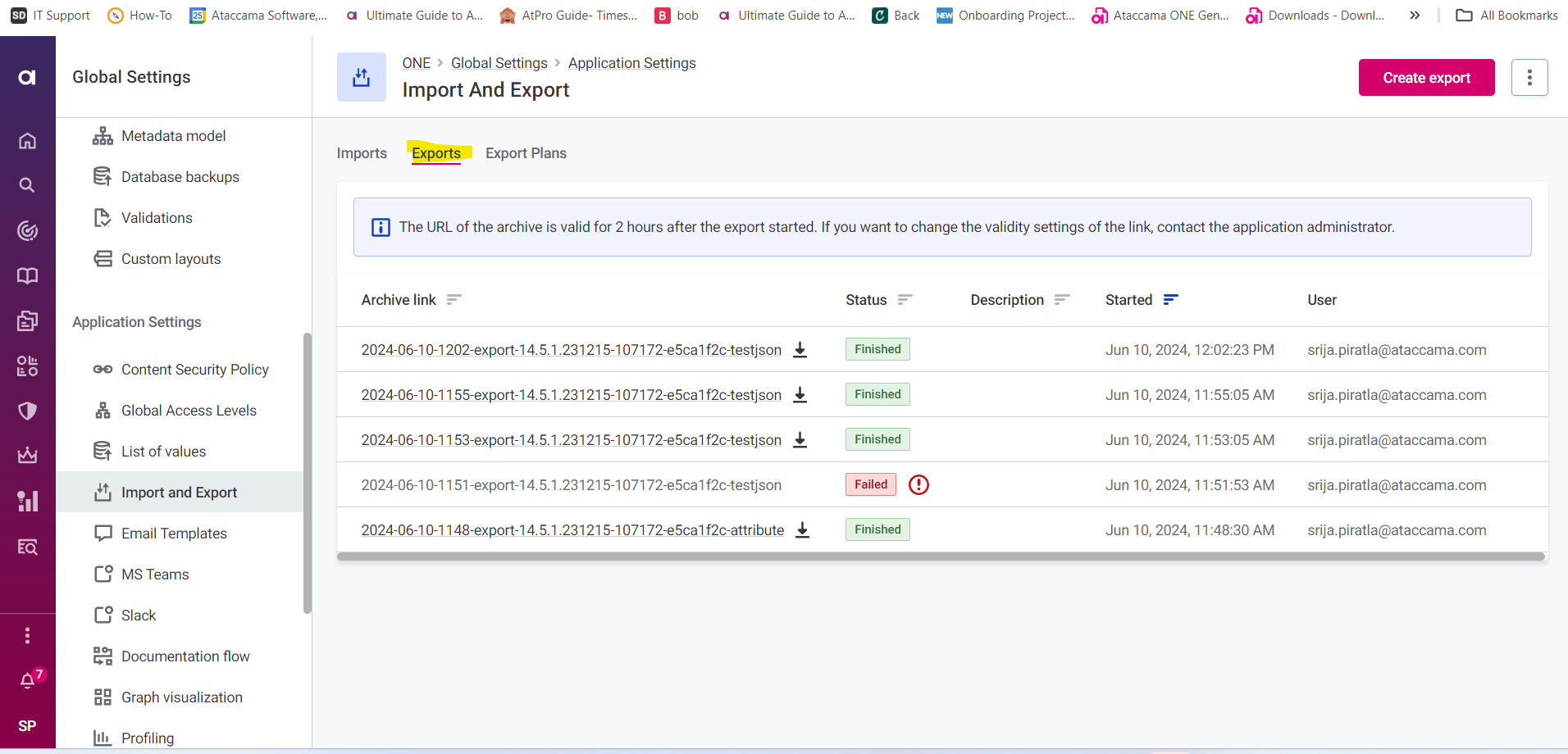
After saving and publishing it. Go to the Catalog item you wanted to export. Such that you can see in the export sectionĀ 

Here is the link -Ā https://docs.ataccama.com/one/latest/import-and-export.htmlĀ and based on the requirements need to modify the json call.

Hope this helps.

Regards,

Srija Piratla

4 replies

Forum|alt.badge.img

Hi @PrithikaĀ ,

Could you elaborate more on this. What are you trying to export and also provide us the Json call you are trying to us for this scenario?

Regards,

Srija Piratla


  • Author
  • Data Voyager
  • June 10, 2024

Hello @srija piratla,Ā 

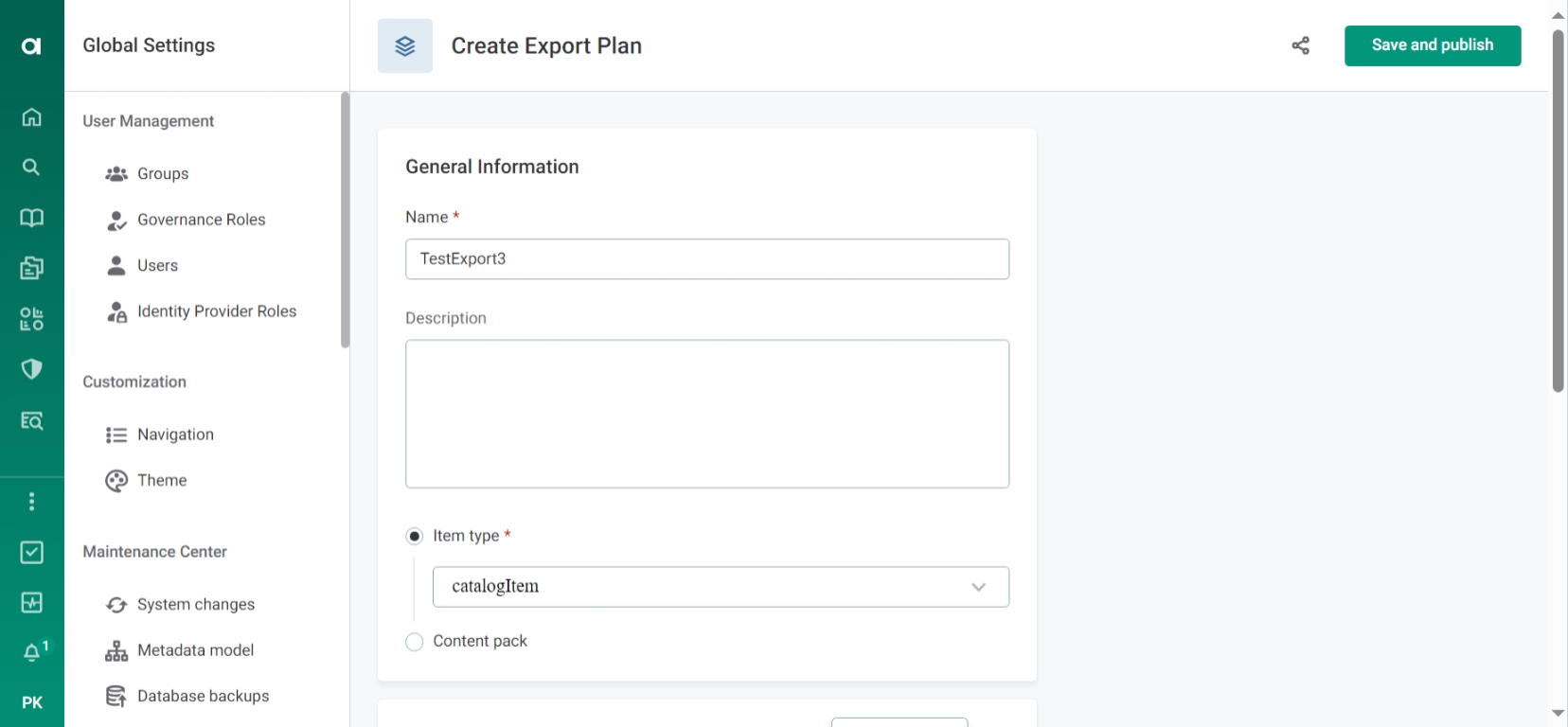
I was trying to export a catalog item and in the JSON code I mentioned the table and attributes name, along with the masking rules. When I submitted theĀ export plan, it showed me a JSON error and later all the export plan records disappeared. When I create new plans with simpler JSON code to check if they appear, they getĀ savedĀ but doĀ not appear to be part of the export plan records. The main issue is that once a plan is created, it gets saved but does not appear in the records, and right after that I see a pop-up JSON error from the previous plan that I created.

Ā 

Here is the screenshot of the export plan,Ā 

Ā 

Here is the JSON code I used,Ā 

Ā 

{

Ā  "exportPlan": {

Ā  Ā  "name": "CustomerDataExport",

Ā  Ā  "entities": [

Ā  Ā  Ā  {

Ā  Ā  Ā  Ā  "entityName": "Customer",

Ā  Ā  Ā  Ā  "maskingRules": [

Ā  Ā  Ā  Ā  Ā  {

Ā  Ā  Ā  Ā  Ā  Ā  "attributeName": "SSN",

Ā  Ā  Ā  Ā  Ā  Ā  "classification": "confidential",

Ā  Ā  Ā  Ā  Ā  Ā  "maskingRule": "TestRule1"

Ā  Ā  Ā  Ā  Ā  },

Ā  Ā  Ā  Ā  Ā  {

Ā  Ā  Ā  Ā  Ā  Ā  "attributeName": "CreditCardNumber",

Ā  Ā  Ā  Ā  Ā  Ā  "classification": "confidential",

Ā  Ā  Ā  Ā  Ā  Ā  "maskingRule": "TestRule1"

Ā  Ā  Ā  Ā  Ā  },

Ā  Ā  Ā  Ā  Ā  {

Ā  Ā  Ā  Ā  Ā  Ā  "attributeName": "Email",

Ā  Ā  Ā  Ā  Ā  Ā  "classification": "restricted",

Ā  Ā  Ā  Ā  Ā  Ā  "maskingRule": "TestRule2"

Ā  Ā  Ā  Ā  Ā  },

Ā  Ā  Ā  Ā  Ā  {

Ā  Ā  Ā  Ā  Ā  Ā  "attributeName": "PhoneNumber",

Ā  Ā  Ā  Ā  Ā  Ā  "classification": "restricted",

Ā  Ā  Ā  Ā  Ā  Ā  "maskingRule": "TestRule2"

Ā  Ā  Ā  Ā  Ā  }

Ā  Ā  Ā  Ā  ]

Ā  Ā  Ā  }

Ā  Ā  ]

Ā  }

}


Forum|alt.badge.img
  • Ataccamer
  • Answer
  • June 10, 2024

HiĀ @PrithikaĀ ,

Ā 

To export a Catalog item we need to write the Json call as below :

{
Ā  "versionSelector": {
Ā  Ā  "publishedVersion": true
Ā  },
Ā  "exportId": true,
Ā  "dataSelectors": [
Ā  Ā  {
Ā  Ā  Ā  "node": "catalogItem"
Ā  Ā  }
Ā  ]
}

After saving and publishing it. Go to the Catalog item you wanted to export. Such that you can see in the export sectionĀ 

Here is the link -Ā https://docs.ataccama.com/one/latest/import-and-export.htmlĀ and based on the requirements need to modify the json call.

Hope this helps.

Regards,

Srija Piratla


Forum|alt.badge.img+1

Hi @Prithika, I’m closing this thread for now, if you have any follow up questions please feel free to share them here in the comments or create a new post šŸ™‹ā€ā™€ļø