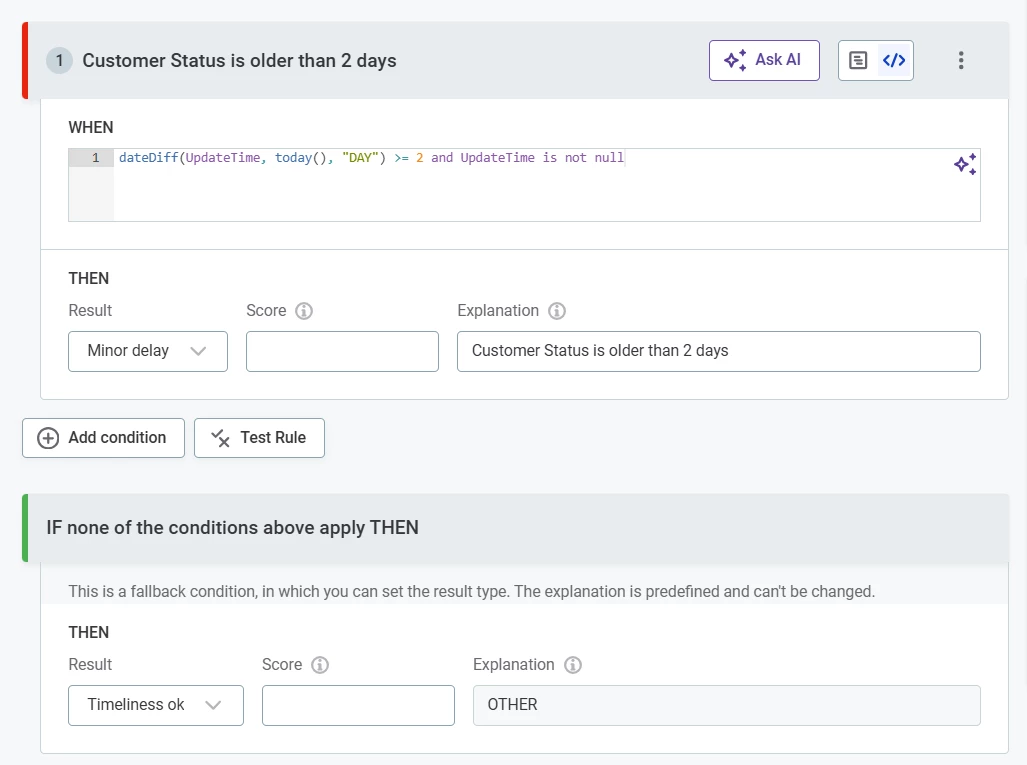
I would like to define a timeliness rule for the term based on the UpdateTime column, e.g. Customer Status term is timely if: dateDiff(UpdateTime, today(), “DAYS”) < 2
Is this possible?
Best answer by Katerina
Hi @kdrose ,
QR was a typo, it should be DQ Rule.
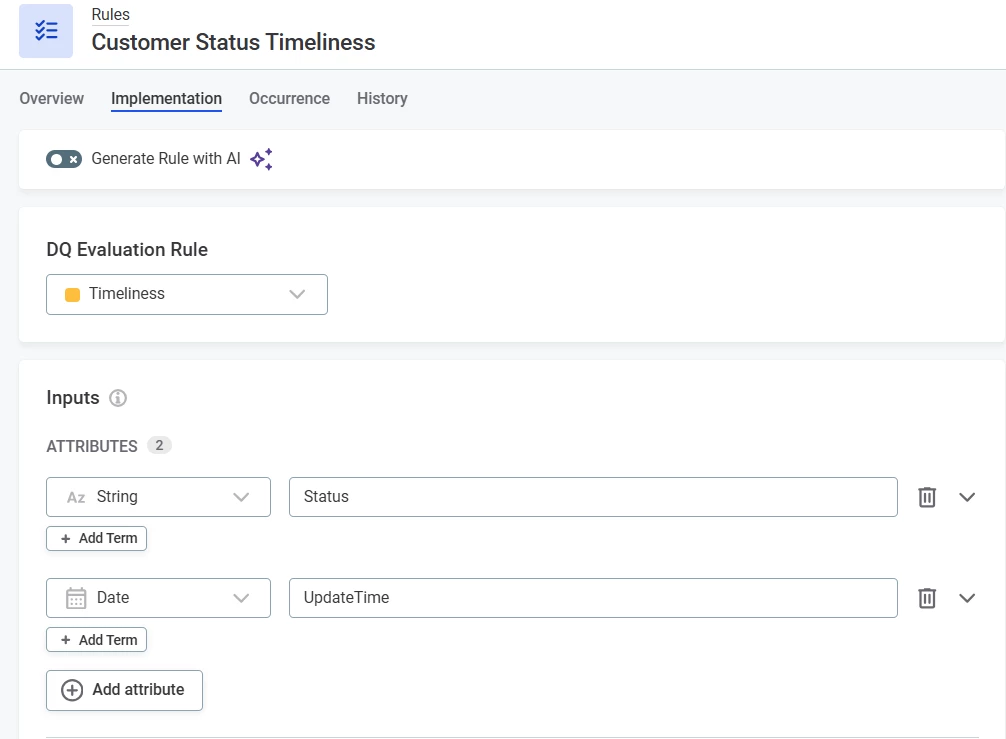
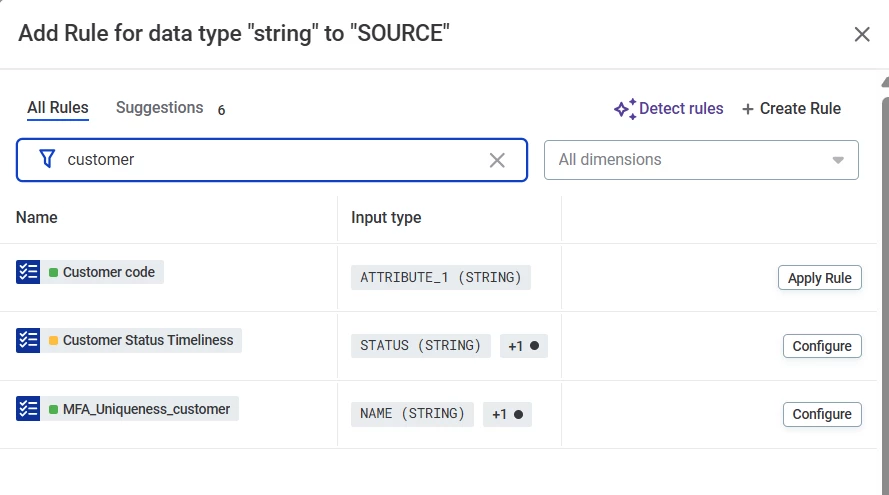
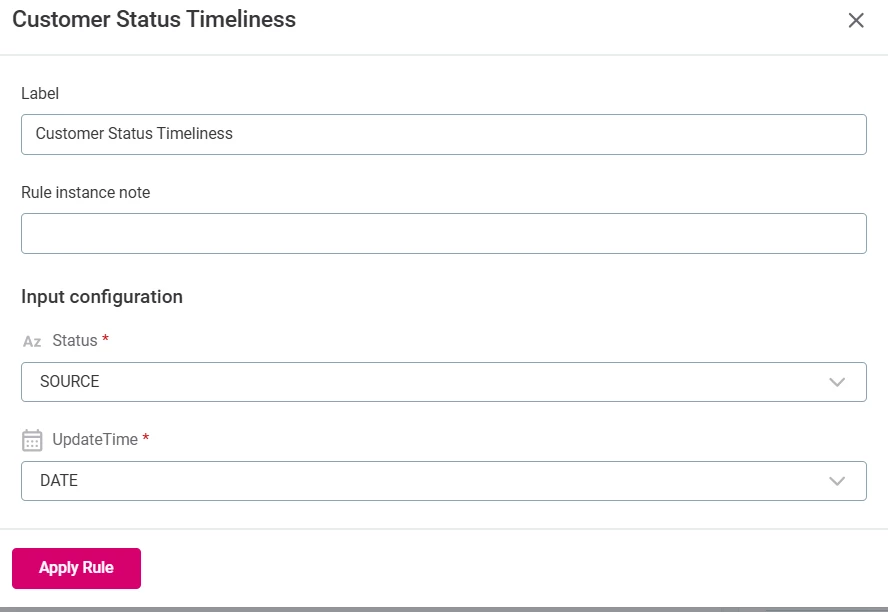
A DQ Rule can use multiple input attributes, for example Status and UpdateTime. The rule can be assigned directly to one or more Catalog Item attributes, not to a Business Term.
The resulting DQ metric is reported for the attribute to which the rule is assigned, not for the Business Term, as there is no direct relationship between DQ Rules and Business Terms. If you need the result to be associated with a Business Term, consider creating a Business Term for UpdateTime (or even Status) and assigning the DQ Rule to the UpdateTime attribute. In this case, the reported metric will represent the timeliness of the UpdateTime Business Term. This Business Term would need to be created and mapped manually. Automatically identifying it using detection rules based only on the date data type is not recommended, as it would classify every date attribute as an UpdateTime Business Term, which is unlikely to be the intended behaviour.
Summary: A DQ Rule is not limited to a single attribute. It can use multiple input attributes (for example, Status and UpdateTime). However, the resulting metric is associated with the attribute to which the rule is assigned. Therefore, if you want the metric to be surfaced for a Business Term, that Business Term should be mapped to the assigned attribute.
Rules with more than one input parameter can't be applied to a business term.
This type of logic can be implemented using a QR rule applied to an attribute or within a Monitoring Project, where all input parameters can be mapped to table attributes.
In this example, the expression: dateDiff(UpdateTime, today(), "DAYS") < 2 requires an additional attribute, so it cannot be assigned directly to the Customer Status term.
Noted that the timeliness logic cannot be assigned directly to the Customer Status business term because the rule requires an additional input parameter (UpdateTime).
I can implement the logic as either a QR rule on the Status attribute, or a rule within a Monitoring Project.
Three questions:
What exactly is a QR rule in this context?
How would I apply a QR rule to the Status attribute if the rule logic is based on UpdateTime (for example, dateDiff(UpdateTime, today(), "DAYS") < 2)?
Can the resulting data quality metric still be reported or surfaced at the Business Term level (Customer Status), given that the term is linked to the Status attribute?
A DQ Rule can use multiple input attributes, for example Status and UpdateTime. The rule can be assigned directly to one or more Catalog Item attributes, not to a Business Term.
The resulting DQ metric is reported for the attribute to which the rule is assigned, not for the Business Term, as there is no direct relationship between DQ Rules and Business Terms. If you need the result to be associated with a Business Term, consider creating a Business Term for UpdateTime (or even Status) and assigning the DQ Rule to the UpdateTime attribute. In this case, the reported metric will represent the timeliness of the UpdateTime Business Term. This Business Term would need to be created and mapped manually. Automatically identifying it using detection rules based only on the date data type is not recommended, as it would classify every date attribute as an UpdateTime Business Term, which is unlikely to be the intended behaviour.
Summary: A DQ Rule is not limited to a single attribute. It can use multiple input attributes (for example, Status and UpdateTime). However, the resulting metric is associated with the attribute to which the rule is assigned. Therefore, if you want the metric to be surfaced for a Business Term, that Business Term should be mapped to the assigned attribute.